Cloudflare Workers D1 supports read replication - a feature that lowers latency for read queries and scales read throughput by distributing read-only database copies across regions globally, placing them closer to your users.
When I was building Check My Solar last year, I noticed that D1 read replication was available as a feature. At the time, I chose to leave it disabled and planned to enable it at a later stage - I forgot.
Check My Solar's User Base#
It turns out (surprise, surprise) that solar installations are very popular in Australia. Over time, I've managed to build up a meaningful user base there through Check My Solar - a companion app I built for Fox ESS solar system owners.
Cloudflare Workers already does a great job of optimising latency for a global user base. It caches my frontend (React) using their CDN, so all static assets are delivered in milliseconds. I also use Workers Smart Placement to analyse usage patterns and reduce latency by invoking Workers closer to the backend services they depend on - in this case, my D1 database in London.
D1 databases are located closest to where they were created. In my case - and something I plan to change in the future - I'm running a single D1 database for my entire user base. It was created closest to London. I intend to rearchitect this eventually and use multiple D1 databases to better distribute write traffic, but for now a single primary serves all users.
Before Enabling Read Replication#
To understand the impact, let's look at some traces from before I enabled D1 read replication.
Briefly: How the Check My Solar API Works#
/api/inverter/data is one of the main endpoints that is requested when a user first opens Check My Solar. It returns real-time and historical data for a given inverter in JSON format that is used to populate the frontend, it's response size is around 6KB.
A single uncached GET to /api/inverter/data results in 29 spans. "Uncached" here means we haven't requested this data recently, so we need to contact the Fox ESS Cloud API to retrieve the relevant inverter data. We then store this in Cloudflare KV for subsequent requests. During this flow, we're also reading from and inserting into D1 (we set a "last accessed" timestamp - something that can be optimised! We're doing an unnecessary write to D1 here).
A 'mostly' cached GET to /api/inverter/data results in a reduced 17 spans. One call is still made to the Fox ESS API to retrieve live power data; the rest (historical data for the hour) is already cached and returned from KV.
Performance from London#
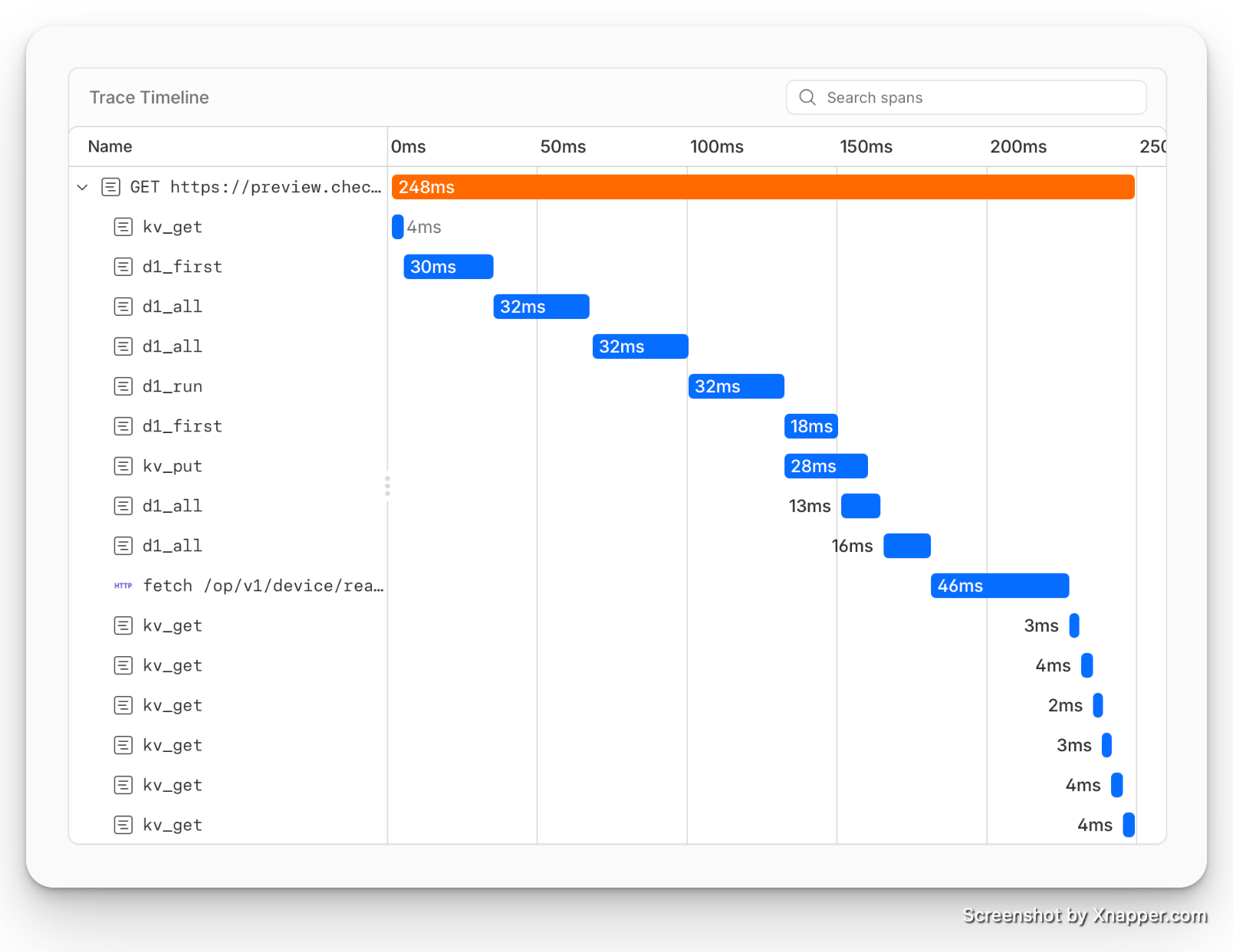
A cached GET to /api/inverter/data from London - where the D1 database is located - with 17 spans takes 248ms. D1 queries take around 30ms each, and KV GET completes in 2–4ms, 46ms of this is fetching data from Fox ESS API. I'm happy with that; this is more than acceptable for a response.
Performance from Australia#
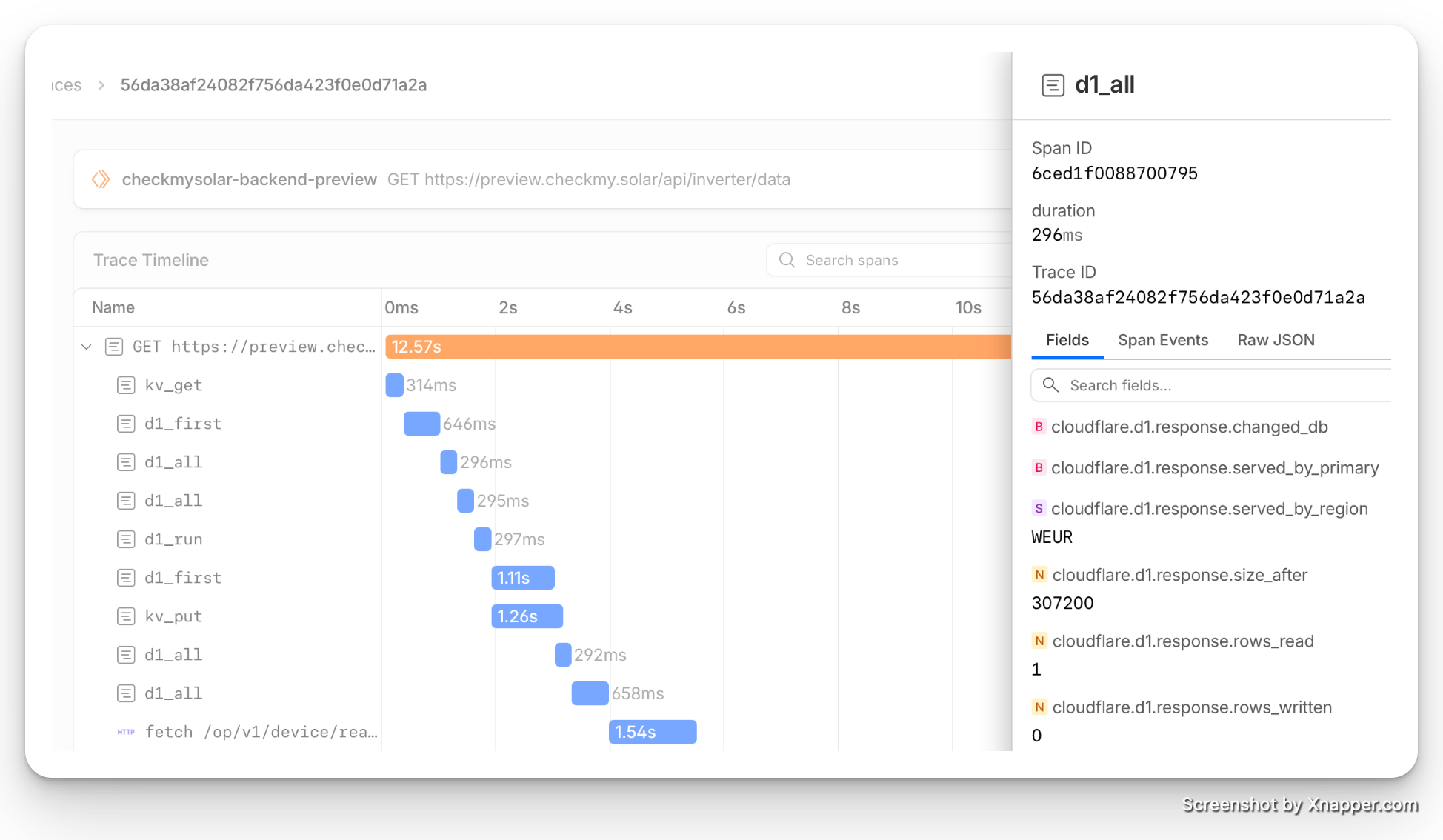
Now, let's test from a VPS in Australia. An uncached GET trace takes 12.57s. Ouch! We're seeing high latency across all spans.
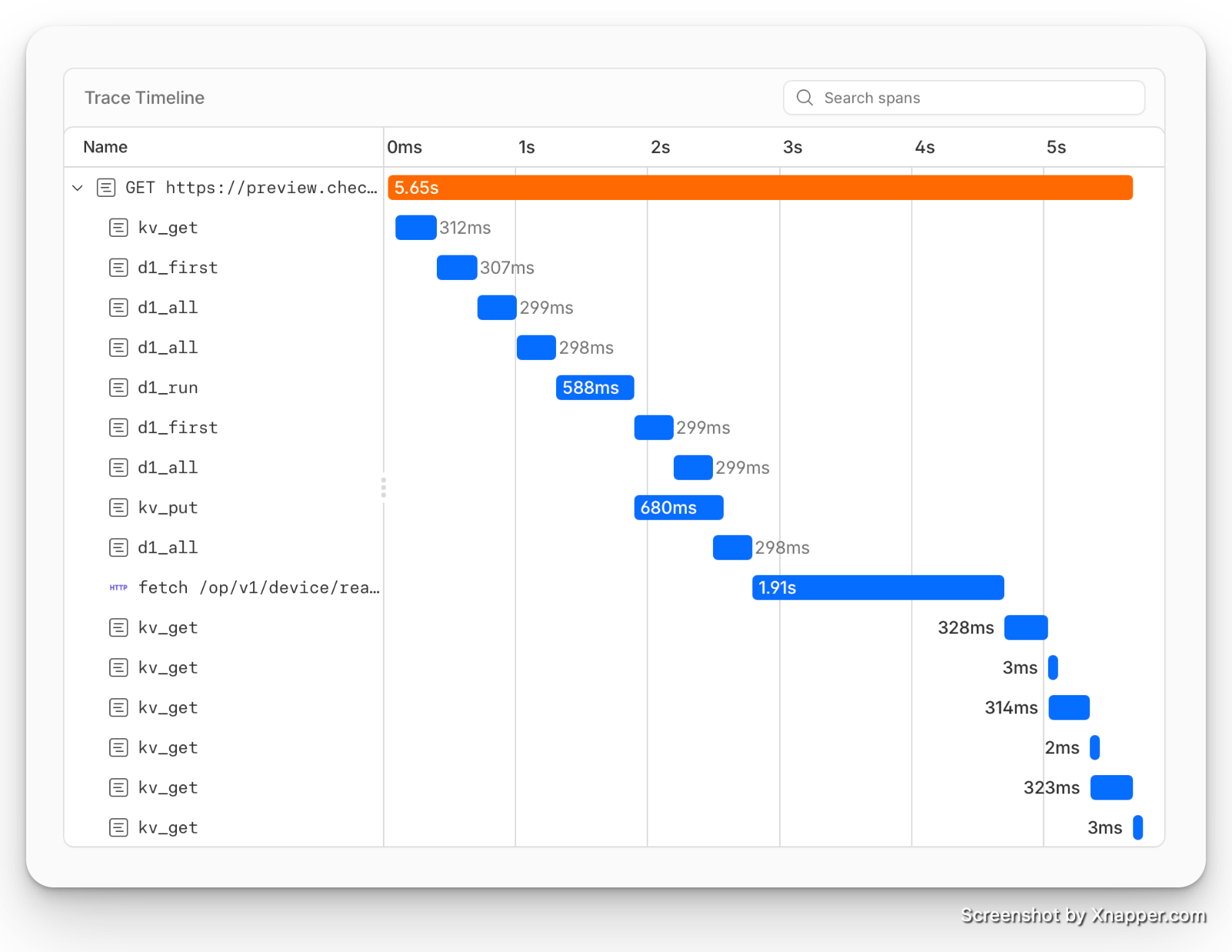
A cached GET from Australia takes 5.65s - better, but far from our cached GET from London at 248ms. Most of the latency comes from D1, again around 300ms per query, and 1.91s to reach the Fox ESS API in Germany.
- D1 all queries: 2,388ms total
- D1 read queries: 1,800 ms total
- Fox ESS Cloud API (servers are located in Germany): 1.91s
The KV PUT takes 680ms but it was called without await, so it is not blocking the GET. The d1_run (a write) took 588ms and this is using await trackUserDeviceAccess(...) which is blocking the GET - a candidate for optimisation.
Enabling Global Read Replicas - The Results#
Enabling global read replicas is straightforward: it's a case of clicking "Enable" on the settings tab of a D1 database in the Cloudflare dashboard.
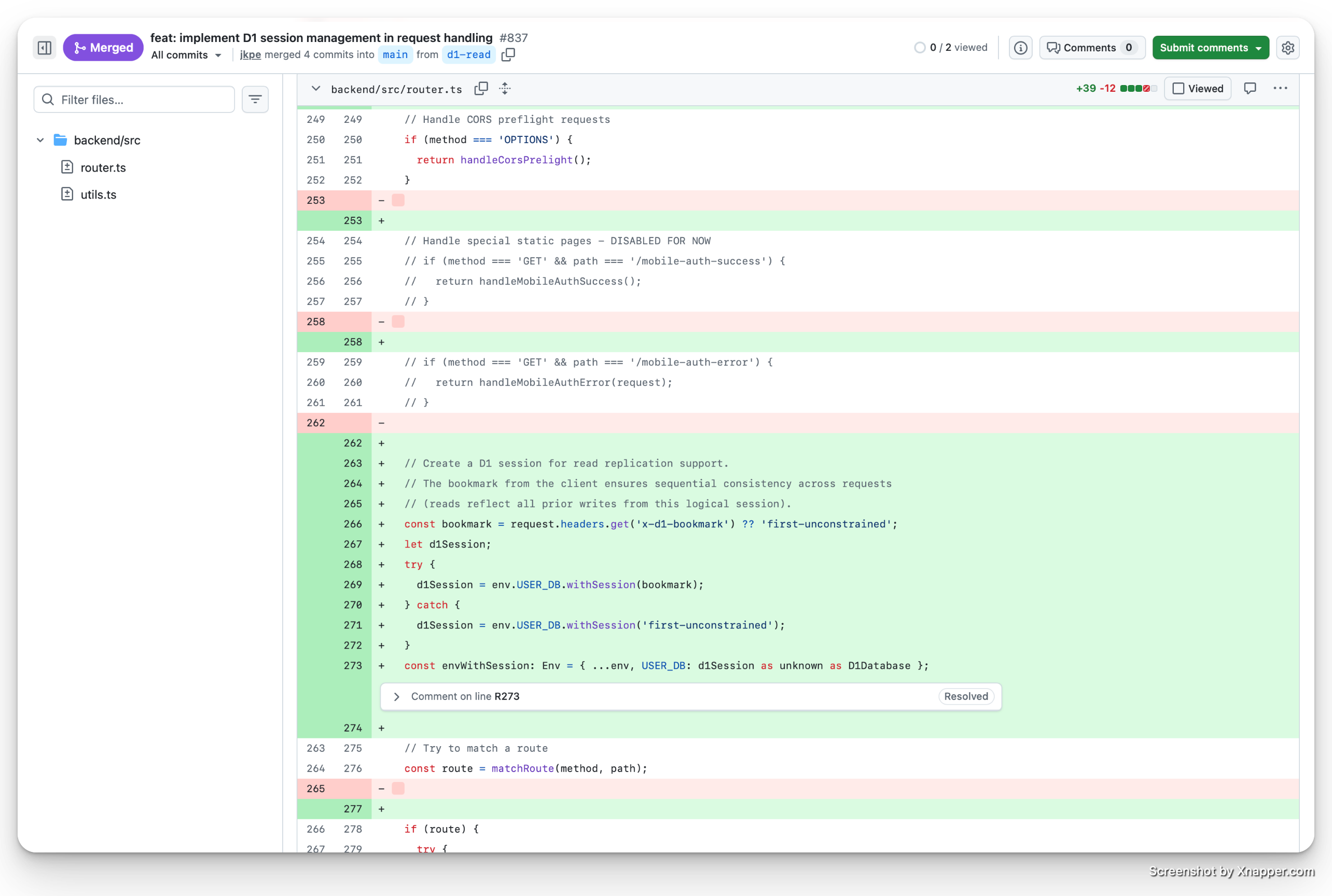
The code change required is adopting the D1 Sessions API, which ensures read consistency by using session bookmarks. This was easy - I prompted Claude Code (Sonnet 4.5) with:
I plan to enable D1 Global read replication, we'll need to use the Sessions API. Check the Cloudflare docs for implementation details and implement.
I have the Cloudflare Docs MCP server enabled, so Claude was able to retrieve the relevant documentation and code samples for the Sessions API. After some back and forth, the diff in my codebase was relatively straightforward: +39 −12.
Cached GET from Australia - After#
Let's test from Australia again with the same cached GET endpoint.
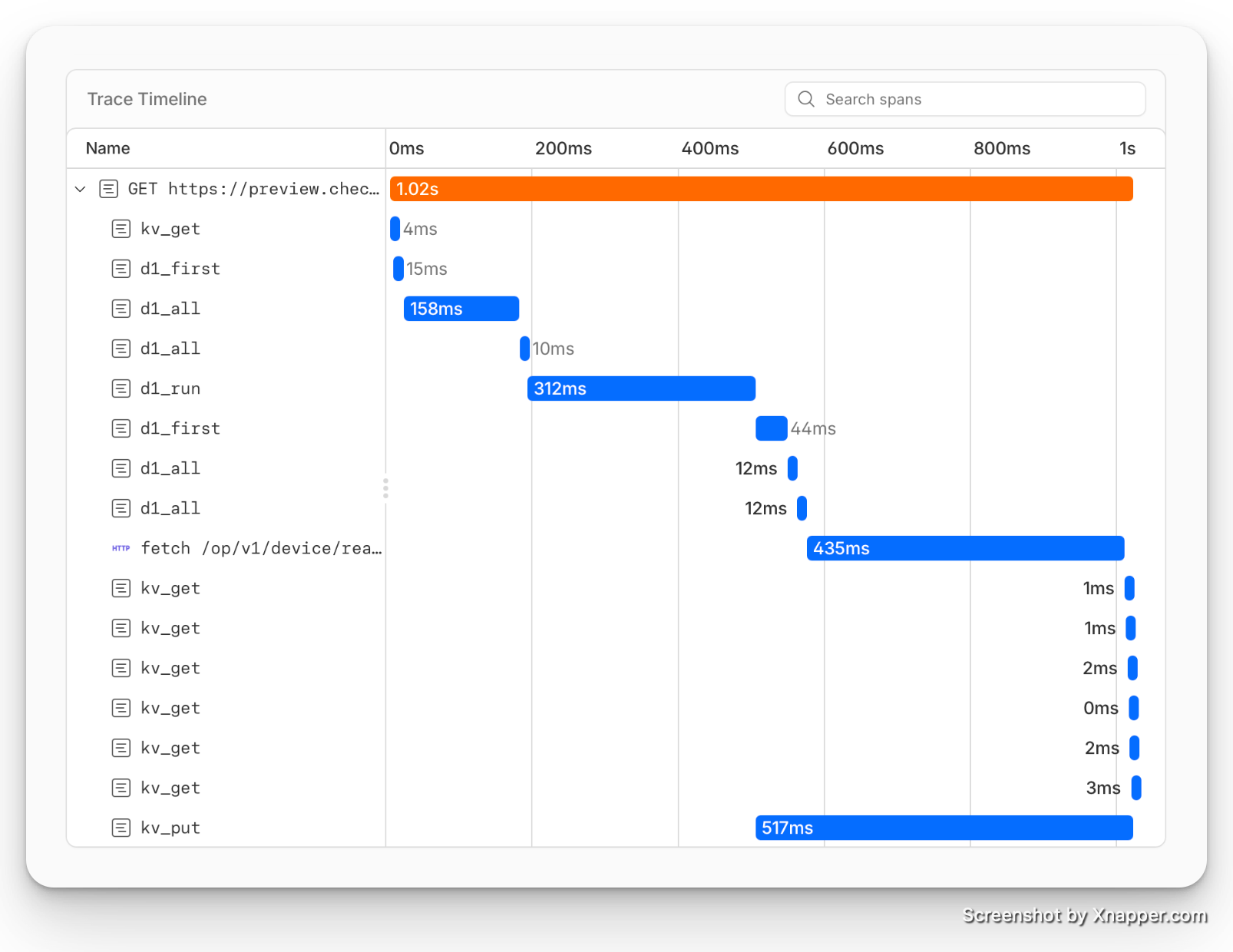
1.02s!
This is a vast improvement over the previous 5.65s - Fox Cloud did respond faster this time around, so that helped.
- D1 all queries: 563ms total
- D1 read queries: 251 ms total (86.1% faster)
- Fox ESS API (Germany): 435ms
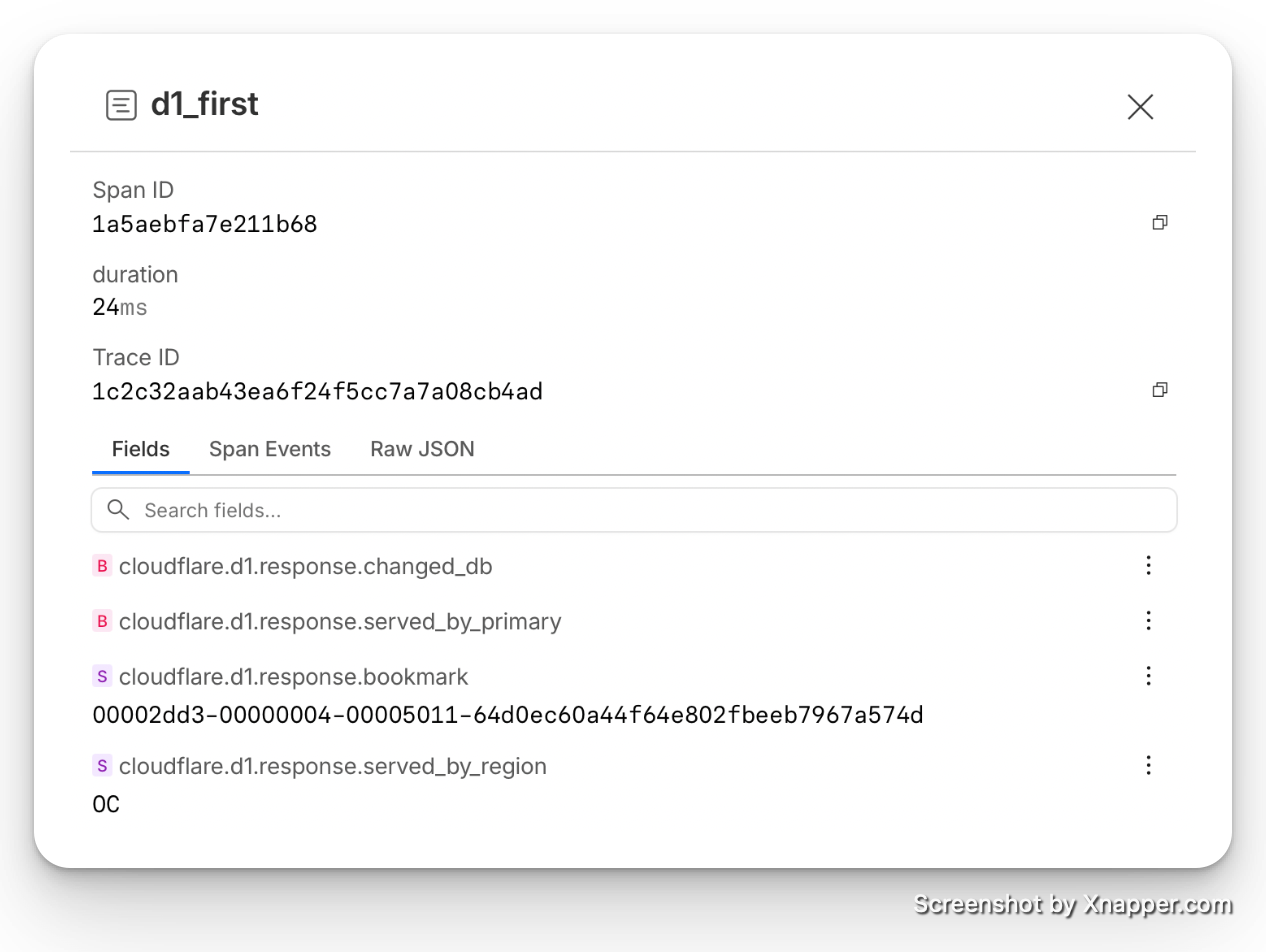
We can see cloudflare.d1.response.bookmark being returned in our trace spans, along with cloudflare.d1.response.served_by_region returning OC - confirming that D1 reads were served from an Oceania datacenter.
One of the slower D1 operations is our INSERT (the "last accessed" timestamp update). Since this is a write, it must travel back to our primary database in London, as confirmed by the metadata cloudflare.d1.response.served_by_region returning WEUR. This took 312ms.
Rather than removing the write, the fix was to stop awaiting it in the request path. The handler calls trackUserDeviceAccess() - which starts the DB write - and returns the response immediately. The write's promise is passed to waitUntil() from cloudflare:workers. This API tells the Worker runtime to keep the execution context alive until the promise settles, so the D1 write completes reliably in the background after the response has already been sent to the user.
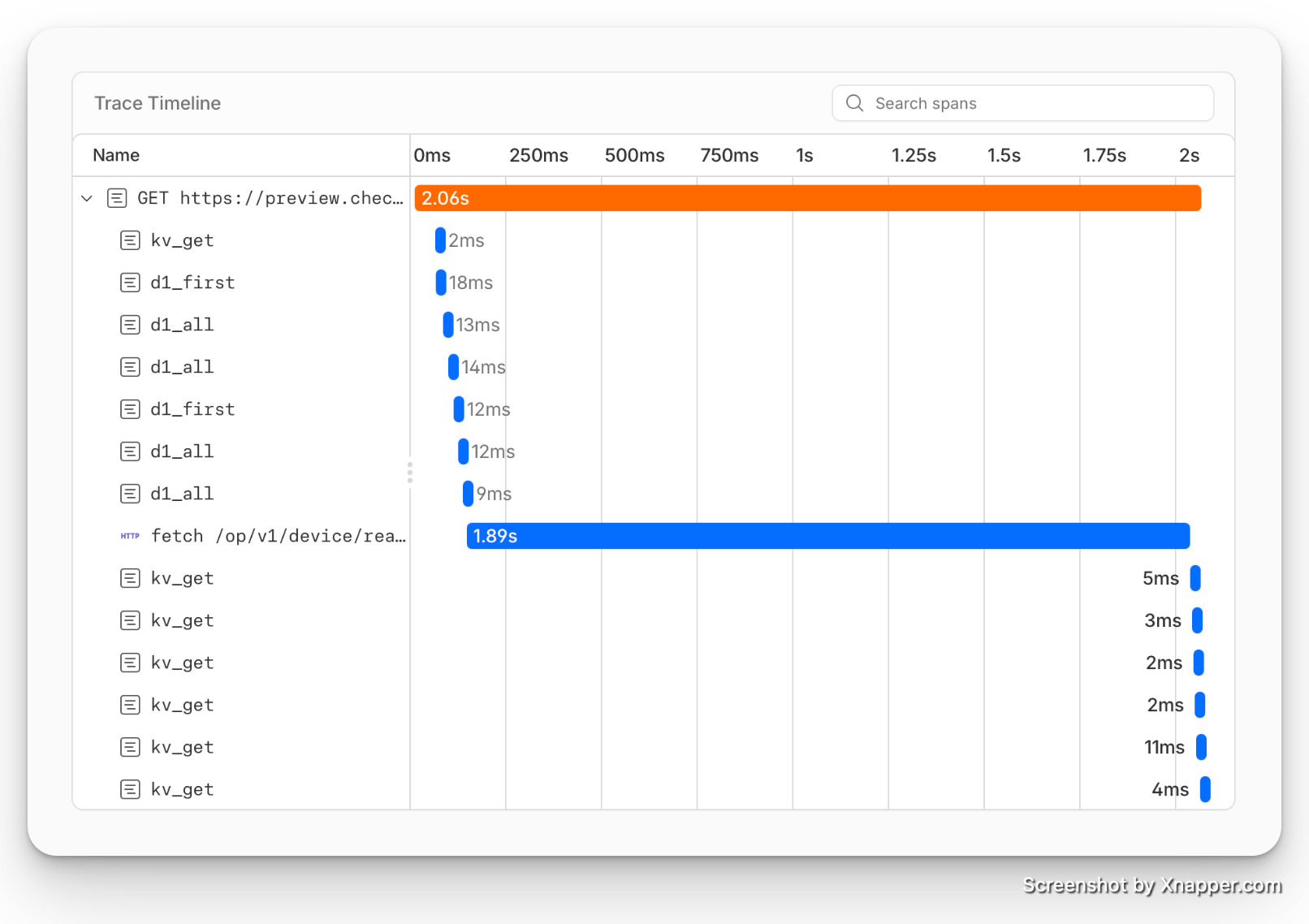
After moving the D1 INSERT to waitUntil() and removing an unnecessary KV PUT, the trace shows further improvement for every part in our control.
This time D1 reads were even faster! - 78ms total.
Down the line, these kinds of analytical "last accessed" writes I will move to Analytics Engine - a purpose-built, non-blocking write path for event data that won't touch the primary database at all.
Replica Metrics#
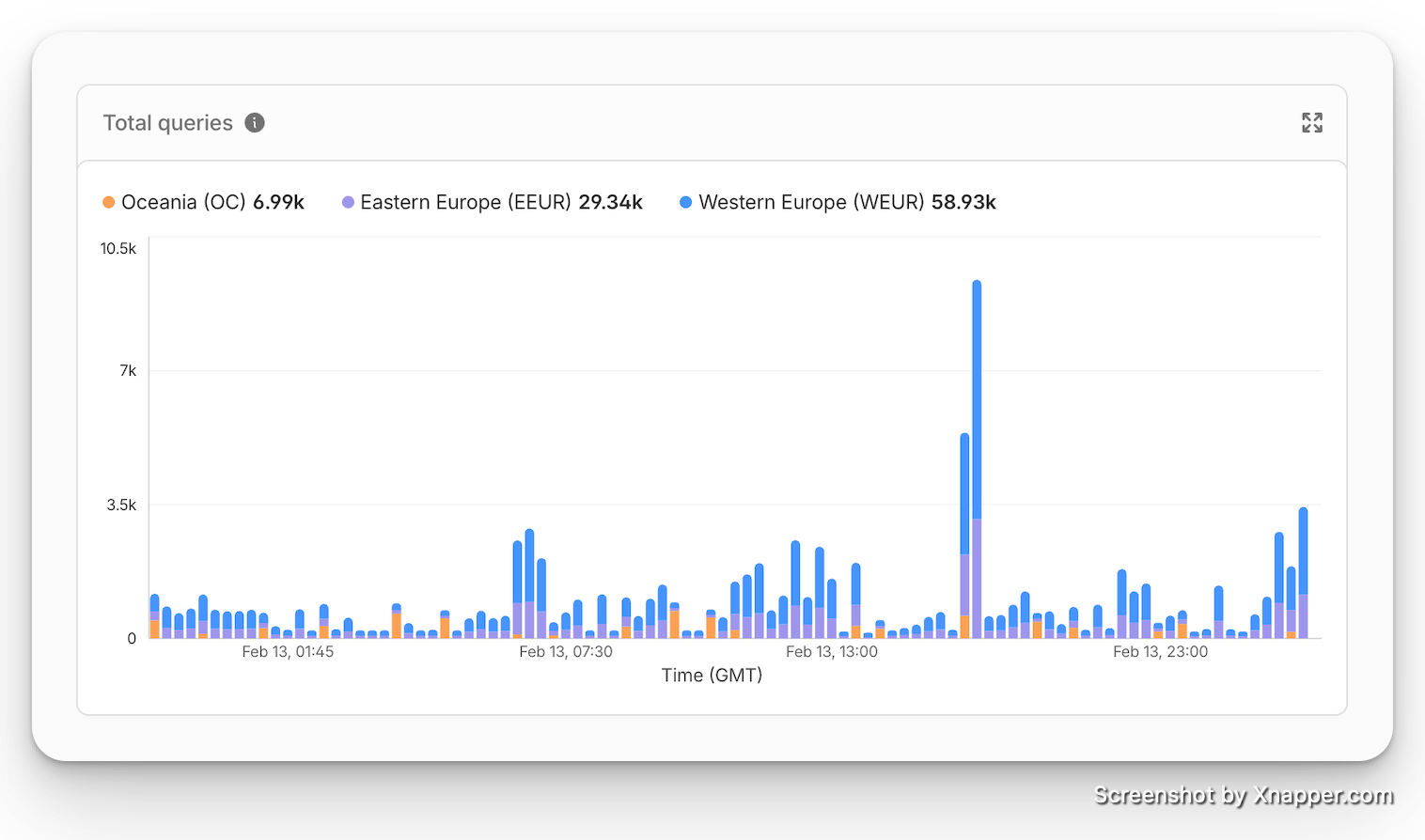
Just hours after enabling read replicas, we can already see in the D1 metrics dashboard that replicas are being read from across regions.
Summary#
| Scenario | Before | After | Improvement |
|---|---|---|---|
| D1 read latency (Australia) | 1,800 ms | 78 ms | 95.7% faster |
| D1 after all optimisations | 2,388 ms | 78ms | 96.7% faster |
Enabling D1 global read replication was one of the highest-impact, lowest-effort changes I've made to Check My Solar. A single toggle in the dashboard, a small code change to adopt the Sessions API, and Australian users went from waiting over 5 seconds to just over 1-2 seconds for API responses.
The built in traces are magic. They show you exactly where the time is being spent and allow you to optimise each part of the flow, like the blocking await trackUserDeviceAccess(...) call that admittedly I had forgotten about.
If you're running a Cloudflare D1 database with a globally distributed user base - especially one where reads significantly outnumber writes, give this a try. The D1 documentation covers everything you need to get started.
Have you got any tips for optimising performance of Cloudflare Workers? I'd love to hear about your experience in the comments below.
Comments